


Pinkfong Baby Shark: Kid Games
3.51.39K Reviews
App Specs
- Version
- 53.14
- Updated On
- License
- Free
- Downloads
- 50,000,000+
- Developer
- The Pinkfong Company
- Categories
- Education
- Platform
- Android, iOS
Screenshots
 Analysis by AppCompare
Before downloading another children’s app, I’d ask a practical question: will my child find something enjoyable to do after the first song, and can I keep the experience within sensible limits? Pinkfong Baby Shark: Kid Games is aimed at young children who already enjoy Baby Shark and want more than a passive video. It brings together songs, puzzles, simple learning activities, and creative play, so a child can move between different kinds of interaction without leaving the familiar underwater world.
That variety is the main reason I’d consider it for a short, supervised play session. A child who has finished watching a cartoon might still have the patience to match pictures or try a simple puzzle, while a child who is tired may prefer music. I wouldn’t treat it as a replacement for books, toys, or time with an adult, but it can offer a convenient activity when a quiet moment is genuinely useful.
Choosing it for the child in front of you
The app is most likely to suit preschool-age children who recognize the characters, enjoy bright animation, and can manage basic taps. Its appeal is less certain for a child who is not interested in Baby Shark, dislikes repeated songs, or wants open-ended play without familiar prompts. I’d let a child try a brief session before making it part of a routine; a recognizable character can attract attention, but it does not guarantee that every activity will hold it.
For a family deciding between this and a general-purpose learning app, the trade-off is focus. Pinkfong’s recognizable characters and musical style make the experience approachable for fans, while a broader early-learning app may offer a less character-led set of activities. If your priority is practice in a specific school-readiness skill, a focused learning tool may be a better fit. If you want a familiar mix of music, puzzles, and play, this collection makes more sense.
A useful routine, not an automatic babysitter
One realistic use is a short transition at home: after putting away toys and before dinner, a parent can offer one song or activity while preparing food nearby. I’d set the expectation first—one short turn, then the device goes away—rather than handing it over with no stopping point. That helps keep the app in the role of a small activity instead of allowing an easy screen break to stretch into the whole evening.
Another sensible moment is waiting somewhere with a child, such as a quiet stretch before an appointment. The mix of activity types gives a parent a chance to redirect attention: if a song becomes too stimulating, try a calmer puzzle or matching activity, then stop if the child is getting restless. This is a practical advantage over a single video, where the child is mostly watching rather than making choices.
What to check before handing over the device
I’d explore the app with the child once before relying on it in a hurry. That gives you a chance to see which activities are easy to find, how your child responds to the music, and whether the controls suit their coordination. It also lets you decide where the session fits in your day. A young child may tap around unpredictably, so keeping the device in reach and staying nearby is more dependable than assuming that an app designed for children will manage every boundary for you.
Worth Reading Before You Choose

Baby Panda World Brings Quick Play to Modern Phones, but Its Game Library Feels Busy

ESPN’s Live Game View Makes Following Close Games Easier

QuizzLand Review: A Good Fit for Short Trivia Breaks, Not Every Player

Basketball Stars: Multiplayer Is Fast, but Can It Recover When Matches Go Wrong?

WEBTOON Turns Phone Updates Into a Better Reading Routine

Link to Windows Runs on Shared Habits, Not Social Feeds
Parents may also wonder whether it costs anything to start. The app is free to download, but it includes in-app purchases ranging from $4.99 to $107.88 per item. I’d review purchase settings on the device before a child uses it, and avoid treating “free” as a promise that every part of the experience is available without payment. That simple check is more useful than discovering a purchase prompt during an unsupervised session.
Its audience is listed as Everyone, and The Pinkfong Company develops it. The app has an average rating of 3.4 from around 44,000 ratings, alongside roughly 1,400 written reviews, and it has been installed over 50 million times. Those figures suggest that it is widely used, but popularity is not a substitute for checking whether its style suits your child. It was released on August 31, 2016, and version 52.20 is the current version; the minimum operating-system requirement is 7.1.
The World of Baby Shark
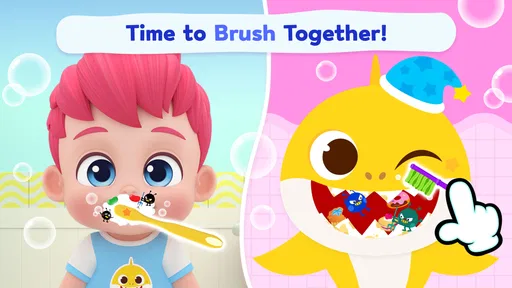
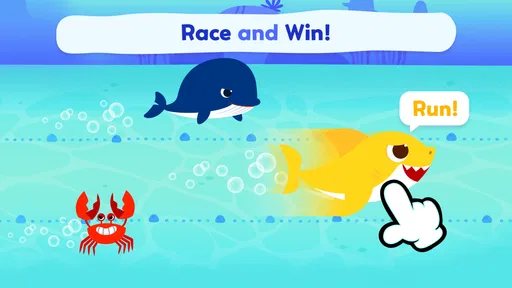
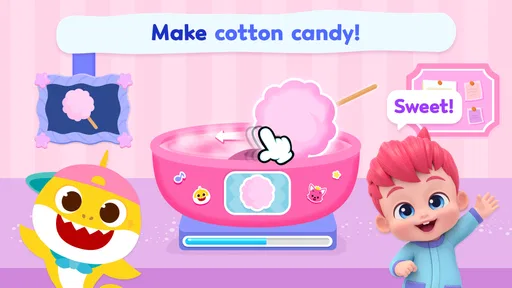
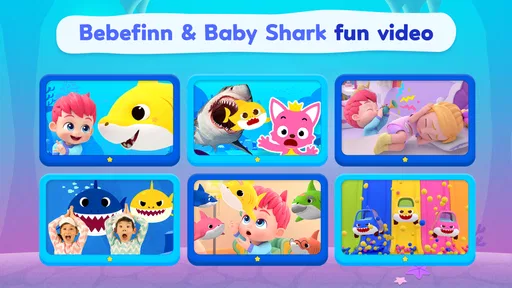
Imagine your child stepping into a vibrant underwater world where the Baby Shark family comes to life. That's exactly what Pinkfong Baby Shark: Kid Games offers. It's not just a game; it's a collection of mini-games and activities designed to entertain and educate kids in a fun way. The app is packed with colorful graphics and upbeat music that keeps kids engaged for hours.
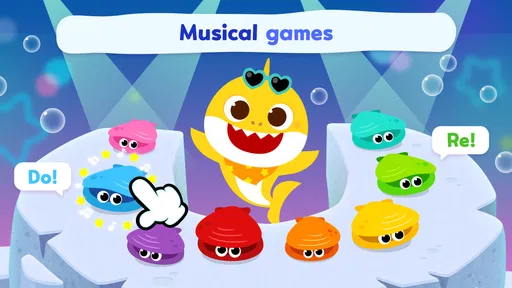
The app is designed for young children, so the controls are super intuitive. Even if your kiddo isn't the most tech-savvy, they’ll be navigating the ocean like a pro in no time. The app includes a variety of activities, from music games to puzzles, each offering a different level of interaction and learning.
Mini-Games and Activities Galore
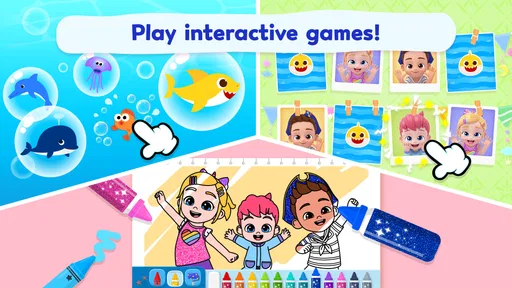
Let me break it down for you: the app is like a smorgasbord of fun activities. Your child can join Baby Shark and friends in sing-along adventures, where they can explore catchy tunes and even learn new songs. It's an excellent way for kids to develop their musical ear and rhythm.
But that's not all. There are also educational games that focus on basic skills like counting, matching, and memory. These games are cleverly disguised as fun challenges, so kids are learning without even realizing it. Talk about a win-win!
Some games also encourage creativity, allowing kids to paint their favorite sea creatures or create their own underwater scenes. It's a fantastic way for kids to express themselves and explore their artistic side.
Parental Controls and Safety
Now, I know what you might be thinking: "Is it safe for my child?" Rest assured, the developers have got you covered. The app includes child-friendly features and parental controls to ensure your little one has a safe and enjoyable experience. There are no in-app purchases that kids can accidentally tap on, and the content is entirely appropriate for young audiences.
Plus, the app is designed to run offline once downloaded. This means that you can hand your phone or tablet to your child without worrying about data charges or them wandering to other apps or websites. It's perfect for those long car rides or when you need a moment of peace and quiet.
Why Kids and Parents Love It
So, what makes this app a hit with both kids and parents? For starters, it's the combination of entertainment and education that appeals to both. Kids love the colorful characters and catchy songs, while parents appreciate the educational value and safe environment.
Moreover, the app's ease of use means that kids can enjoy the games independently, giving parents a much-needed break. And let's be honest, who doesn't enjoy a few minutes of peace?
The app is also frequently updated with new content, keeping it fresh and exciting for returning users. It's like a new adventure every time your child opens the app.
Making the activities count
The best way to get more from these mini-games is to join in briefly instead of leaving a child to tap through everything alone. During a matching activity, I’d ask the child to describe what they see; during a counting game, I’d count aloud with them and then let them take the next turn. The app supplies the prompt, while the adult adds conversation and a natural stopping point. That small handoff can make a screen activity feel more shared without turning it into a lesson.
It also helps to rotate the type of activity rather than repeatedly returning to the loudest or most familiar song. A song can be a cheerful start, but moving to a puzzle or a creative task changes the pace and asks for a different kind of attention. If the child keeps choosing music, there is no need to force a learning activity; simply treat the app as entertainment and choose another option when you want more direct practice.
Compared with putting on a Baby Shark video, the app gives the child more chances to tap, choose, and respond. That is a meaningful difference for a child who likes interaction, though it also means a parent should expect occasional trial-and-error as little fingers explore the screen. Compared with physical puzzles or drawing, the app is easier to carry and set up, but it cannot offer the same hands-on materials or face-to-face play. I’d use those options alongside it, not regard them as interchangeable.
Where the experience can stumble
The familiar songs and colorful presentation can be a strength, but they can also become tiring for adults or children who prefer quieter play. A child who is easily overstimulated may do better with a book, blocks, or a calm audio story. Repeated exposure to a favorite tune can also make it harder to move on, so I’d avoid introducing the app right before a moment when the child must stop immediately, such as leaving the house.
There is also a difference between “educational” and a structured teaching plan. Counting, matching, and memory activities can reinforce basic ideas through play, but I would not use them as a substitute for an adult explaining a concept or noticing where a child is struggling. If a child needs targeted support or a clear progression in a particular skill, a specialist learning resource or a parent-led activity is likely to serve that goal better.
Parents should be cautious about relying on any single claim of safety as a reason to step away completely. A child-friendly design can make the interface more approachable, but adults still need to supervise use, manage device settings, and consider purchase prompts. The app’s free starting point does not remove the need to check how spending is handled on the device, especially if a child is comfortable tapping through menus.
From screen time back to the day
A smooth handoff matters as much as choosing the activity. Before opening the app, I’d tell the child what comes next—snack, bath, or putting toys away—and give a simple reminder as the session ends. Then I’d move directly into that next activity rather than negotiating for another round. This is not a special feature of the app; it is a practical way to make a bright, engaging screen easier to put down.
For travel, I’d prepare the device before the child needs it and test the activity while still at home. The original article describes offline use after downloading, which can be helpful when connectivity is inconvenient; I would still check that the content I intend to use is available before leaving. That avoids discovering a snag in the middle of a wait, when there is little room to troubleshoot and a child is already expecting entertainment.
As an education app, it is best understood as a small collection of familiar, playful choices rather than a complete learning program. Its strongest use is a brief, supervised moment when music, simple puzzles, or creative play will suit the child better than passive viewing. If your child enjoys the characters and you are comfortable setting boundaries around screen time and purchases, I can see why it earns a place among the options you keep handy. If you want quiet, open-ended, or highly structured learning, I’d choose a different activity for that moment.
Final Thoughts
In summary, Pinkfong Baby Shark: Kid Games is a delightful app that brings the beloved Baby Shark characters to life in a way that’s both entertaining and educational. It's a great tool for keeping kids engaged, whether you're at home or on the go. If you're looking for an app that's both fun and functional, this one should definitely be on your radar.
So, next time you're in need of a digital babysitter, why not let your child take a swim with Baby Shark and friends? It's a splash-tastic experience they won't soon forget!
Pros
- Engaging and colorful graphics.
- Variety of educational mini-games.
- User-friendly interface for kids.
- Offline play available.
- Encourages creativity and learning.
Cons
- In-app purchases can be pricey.
- Some games require frequent updates.
- Limited content in free version.
- Repetitive music might annoy parents.
- Requires a stable device performance.
FAQs for Pinkfong Baby Shark: Kid Games
What is Pinkfong Baby Shark: Kid Games about?
Pinkfong Baby Shark: Kid Games is an educational app designed for young children. It offers a variety of interactive games and activities featuring the popular Baby Shark character. The app aims to entertain and educate toddlers through songs, puzzles, and mini-games that enhance cognitive skills and creativity.
Is Pinkfong Baby Shark: Kid Games safe for my child?
Yes, Pinkfong Baby Shark: Kid Games is designed with child safety in mind. The app's interface is user-friendly and ad-free, ensuring a secure environment for kids. Additionally, it does not require internet access, so parents can feel confident about allowing their children to play independently.
Does the app require an internet connection to function?
No, Pinkfong Baby Shark: Kid Games does not require an internet connection for most of its features. This allows children to enjoy the app anywhere, whether at home or on the go, without the need for Wi-Fi or mobile data. However, some updates may need an internet connection.
Are there any in-app purchases in Pinkfong Baby Shark: Kid Games?
Yes, while the app offers free content, there are optional in-app purchases available. These purchases unlock additional games and features to enhance the user experience. Parents can manage purchases through their device settings to prevent unauthorized transactions by children.
What age group is Pinkfong Baby Shark: Kid Games suitable for?
Pinkfong Baby Shark: Kid Games is primarily designed for toddlers and preschoolers, typically aged 2 to 5 years. The app's content is tailored to this age group, focusing on simple, engaging activities that support early childhood development and learning through play.


